Decode JWT Tokens in Your Browser Decode and inspect JSON Web Tokens — view header, payload, and expiration status.


JWT Decoder
Decode and inspect JSON Web Tokens — view header, payload, and expiration status.
Paste Token
Paste your JWT token.
View Decoded
Header, payload, signature appear instantly.
Copy Parts
Copy header, payload, or signature as JSON.
What Is JWT Decoder?
A JWT Decoder is a tool that takes a JSON Web Token (JWT) as input and breaks it down into its three Base64URL-encoded parts: header, payload, and signature. Developers working with authentication protocols like OAuth 2.0 and OpenID Connect use it to decode and inspect the contents of JWTs. One specific problem it solves is helping developers verify the claims made in a token, such as checking if a token has expired or not.
The tool is particularly useful when debugging auth flows, where being able to see the exact contents of a token can help identify issues. It decodes JWTs directly in the browser, ensuring that no sensitive data leaves the client-side. What makes this tool different is its ability to display each part of the token as readable JSON, and also check the expiration status of the token.
It allows users to copy the decoded header, payload, or signature with a single click, making it easy to use the decoded values in other tools or applications. This feature is especially useful when working with jwt parser libraries or building custom json web token decoder integrations. As a jwt inspector, it provides a simple and straightforward way to decode JWTs and understand their contents, without having to write custom code to parse the tokens.
Why Use JWT Decoder?
-
Instant decoding with real-time display
-
Shows expiration status and all claims
-
100% client-side — tokens never leave your browser
-
Free with no signup required
Common Use Cases
API Debugging
Inspect access/refresh tokens from OAuth flows.
Security Audit
Review JWT claims and expiration.
Development
Debug authentication issues.
Education
Learn JWT structure.
Technical Guide
The tool works by first splitting the input JWT into its three parts using the dot character as a delimiter. It then applies the decodeBase64Url function to each part, which replaces hyphens with plus signs and underscores with forward slashes to convert from Base64URL to standard Base64 encoding. The atob browser API is used to perform the actual Base64 decoding. The resulting strings are then parsed into JSON objects using the JSON.parse method.
The header object typically contains fields such as alg, which specifies the algorithm used for signing, and typ, which indicates the type of token. The payload object carries registered claims like iss, sub, exp, and iat, as well as custom claims defined by the issuer. The signature is verified by checking if the provided expiration time in the payload has passed.
The tool uses React state management to store the input token and decoded parts, with useState hooks for token and copied status. It also utilizes useCallback to memoize the handleCopy function, which handles copying the decoded header, payload, or signature to the clipboard using the copyToClipboard utility from the lib/utils module. The cn function is used to conditionally apply CSS classes based on the copied status.
The decodeBase64Url function implements a specific Base64URL decoding algorithm as defined in RFC 7519, which differs slightly from standard Base64 encoding due to its use of hyphens and underscores instead of plus signs and forward slashes. The tool's implementation ensures that it can correctly handle both standard and URL-safe Base64 variants.
When the input token is invalid or cannot be decoded, an error message is displayed with information about what went wrong, such as "Invalid JWT: expected 3 parts" if the token does not contain exactly three dot-separated parts. If decoding fails for any reason, a generic "Failed to decode JWT." error message is shown instead. The tool's UI components are rendered using JSX and styled with CSS classes from the glass-card and other utility stylesheets.
Tips & Best Practices
-
1Check exp claim for validity
-
2The alg field shows signing algorithm
-
3JWTs are not encrypted — anyone can read the payload
-
4Use JWT Validator for signature verification
Related Tools

Base64 Decode
Decode Base64-encoded strings back to plain text instantly.
🔐 Encoding & Crypto

HMAC Generator
Generate HMAC digests with multiple hash algorithms.
🔐 Encoding & Crypto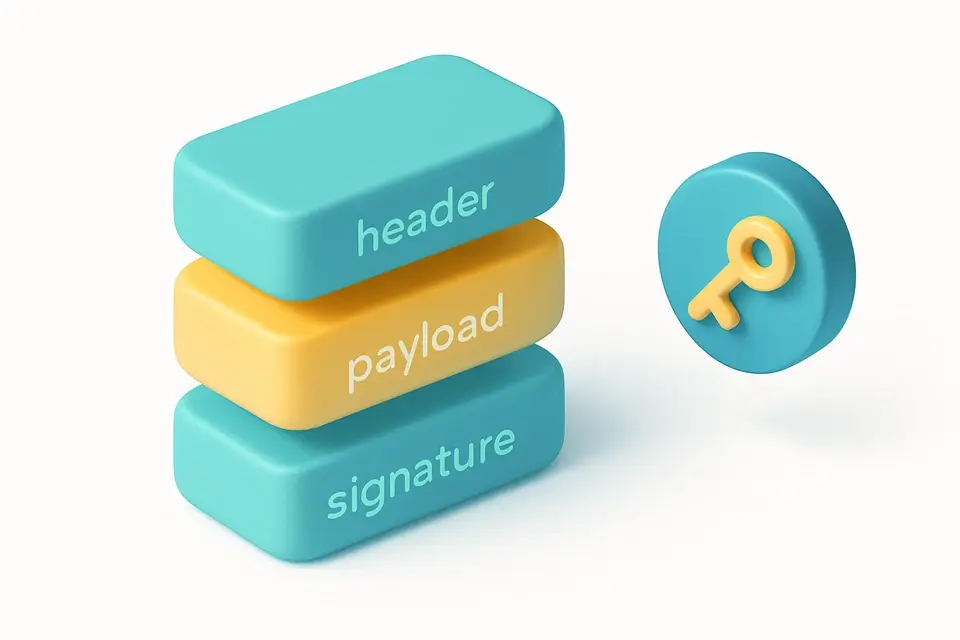

JWT Generator
Generate signed JSON Web Tokens with custom claims, algorithm selection, and expiration.
🔐 Encoding & Crypto

JWT Validator
Validate JWT tokens — verify HMAC signature, check expiration, inspect claims.
🔐 Encoding & CryptoFrequently Asked Questions
Q Is this tool free?
Q Is my data secure?
Q Can it verify signatures?
Q What formats are supported?
Q Does it check expiration?
About This Tool
JWT Decoder is a free online tool by FreeToolkit.ai. All processing happens directly in your browser — your data never leaves your device. No registration or installation required.