Build and Encode Custom URLs Online URL Builder tool for network operations.

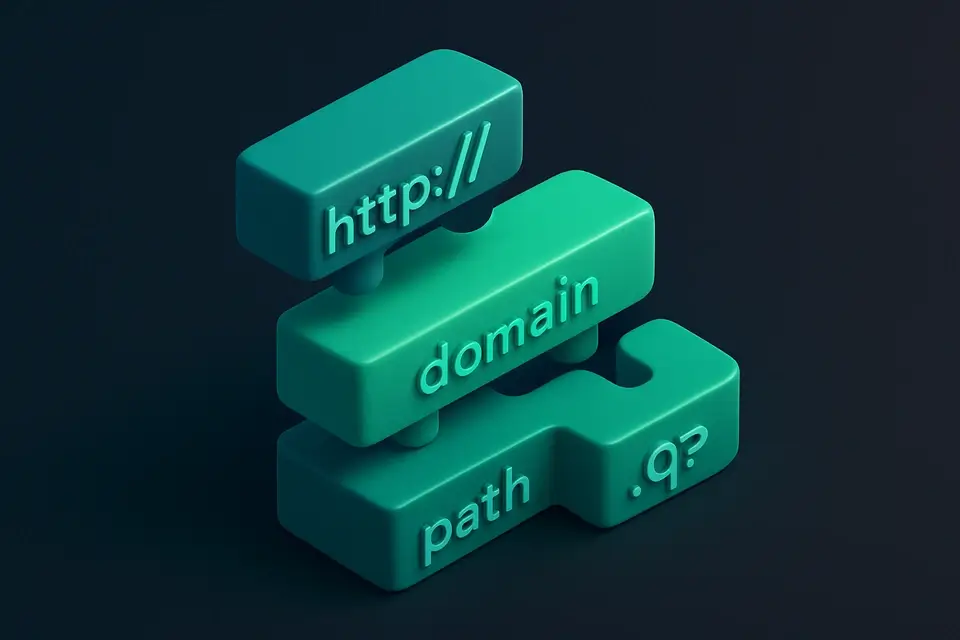
URL Builder
URL Builder tool for network operations.
Select Protocol and Enter Hostname
Choose the protocol from the dropdown and type or paste your domain name.
Add Query Parameters
Click the Add Parameter button and fill in key-value pairs.
Copy the Built URL
Copy the fully constructed URL to your clipboard.
What Is URL Builder?
A URL Builder is a tool that constructs a valid Uniform Resource Locator (URL) by combining the protocol, hostname, port number, path, query string, and fragment. It is primarily used by developers and network engineers who need to create URLs with specific parameters for testing or configuration purposes. One specific problem it solves is the tedious process of manually constructing URLs with multiple query parameters, which can lead to errors due to incorrect encoding or formatting.
The tool is designed to address this issue by providing an intuitive interface for building URLs with ease. What makes this tool different is its ability to automatically URL-encode parameter names and values, as well as validate the hostname and port number to ensure a valid URL is generated. For instance, it allows users to add multiple query parameters using a simple "Add Parameter" button, and each parameter can be easily removed or updated. This functionality makes it an ideal online url generator for building URLs with parameters.
It also features a built-in validation mechanism that checks for errors such as spaces in the hostname or invalid port numbers, providing instant feedback to the user. As a free url builder tool, it offers a convenient and reliable way to build urls with parameters, making it a valuable asset for developers who need to work with URLs on a regular basis. By using this url query string builder, users can quickly generate valid URLs and copy them to the clipboard for further use.
Why Use URL Builder?
-
Instant URL construction with live validation as you type
-
100% client-side — no URL data leaves your browser
-
Supports https, http, ftp, ws, and wss protocols
-
No signup or account required
Common Use Cases
Development
Build and test API endpoint URLs with precise query parameters before deploying.
Networking
Construct WebSocket or FTP connection strings with correct protocol and port.
Education
Learn URL structure, encoding rules, and query parameter syntax hands-on.
Security
Test URL parameter encoding and verify edge cases for input validation.
Technical Guide
Under the hood, it relies on client-side JavaScript and browser APIs to construct a valid URL. The tool utilizes the `useState` and `useMemo` React hooks to manage its state and compute the built URL, respectively. When building the URL, it follows established standards and RFCs, such as RFC 3986, to ensure correctness. Input validation is performed using regular expressions, checking for edge cases like spaces in the hostname or invalid port numbers. The `encodeURIComponent` function is used to properly encode query parameter names and values, preventing errors due to special characters. Additionally, it employs ES6+ features, such as destructuring and arrow functions, to simplify its codebase. Mobile-first responsive design principles are also applied to ensure a seamless user experience across various devices.
The tool's UI components, including `InputWithHelp` and `SelectWithHelp`, are built using React, which provides an efficient way to manage the component tree and handle user interactions. The `useCallback` hook is used to memoize functions like `addParam`, `removeParam`, and `updateParam`, preventing unnecessary re-renders and improving performance. When handling query parameters, it uses a data structure consisting of an array of objects, where each object represents a parameter with its key, value, and unique ID. This allows for efficient addition, removal, and updating of parameters. The `copyToClipboard` function from the `@/lib/utils` module is used to copy the built URL to the user's clipboard, providing a convenient way to use the generated URL in other applications.
Tips & Best Practices
-
1All URL construction runs locally in your browser — no data is sent to any server
-
2The built URL updates in real time as you modify any component
-
3Click the copy button to grab the assembled URL directly from the output
-
4Pair with URL Parser or URL Encoder for a complete URL workflow
Related Tools


SAML Decoder
SAML Decoder tool for network operations.
🌐 Network & Web

Query String Builder
Query String Builder tool for network operations.
🌐 Network & Web
DNS Record Types Reference
DNS Record Types Reference tool for network operations.
🌐 Network & Web

What Is My Screen Resolution
What Is My Screen Resolution tool for network operations.
🌐 Network & WebFrequently Asked Questions
Q Is this URL Builder free to use?
Q Is it safe to build URLs with this tool?
Q Does the URL Builder work on mobile devices?
Q Can I use the URL Builder offline?
Q Which browsers support this URL Builder?
About This Tool
URL Builder is a free online tool by FreeToolkit.ai. All processing happens directly in your browser — your data never leaves your device. No registration or installation required.