Convert Decimal Numbers to IP Addresses Decimal to IP tool for network operations.

Decimal to IP
Decimal to IP tool for network operations.
Enter the Decimal Number
Type or paste your decimal value.
Convert to IP Address
Click the convert button.
Copy the IP Address
Copy the resulting IP address.
What Is Decimal to IP?
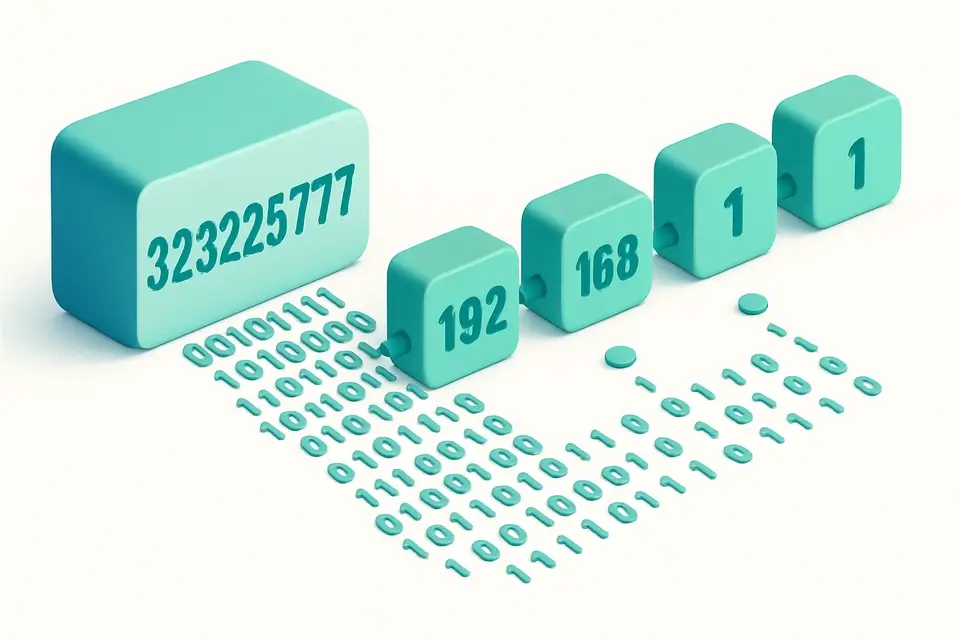
A Decimal to IP is a tool that converts a decimal number into its corresponding IPv4 address in dotted notation, allowing users to represent the decimal value as four octets separated by dots. Network engineers and developers use this conversion to troubleshoot network issues or configure devices, and one specific problem it solves is accurately representing 32-bit unsigned integers as IP addresses without manual calculation errors.
The tool is designed to handle input validation, checking if the entered decimal number falls within the valid range of 0 to 4,294,967,295, and it also checks for invalid characters, ensuring only digits are used. What makes this tool different is its ability to break down the resulting IP address into its individual octets, displaying both the decimal and binary representations, along with the corresponding bit positions.
It provides an instant conversion experience, thanks to its client-side implementation using React and modern browser APIs, which means no data is sent to any server, making it a reliable decimal to ip converter for sensitive operations. The tool also features a user-friendly interface that includes a copy function for easily transferring the converted IP address, and detailed information about the input decimal number, such as its representation as a 32-bit unsigned integer composed of four octets. This makes it an effective decimal to ip address calculator for finding the ip address from decimal representations quickly and accurately.
Why Use Decimal to IP?
-
Instant decimal-to-IP conversion
-
100% client-side
-
Mobile-friendly
-
No signup required
Common Use Cases
Development
Web dev and debugging.
Networking
Network config.
Education
Learn concepts.
Security
Security analysis.
Technical Guide
The tool works under the hood by utilizing a combination of bitwise operations and string manipulation to convert the decimal input into its corresponding IPv4 address. It first trims the input string and checks if it's empty, then attempts to parse it as an integer using `parseInt` with base 10. If the parsing fails or the number is out of range (less than 0 or greater than 4294967295), it throws an error. The decimalToIpv4 function uses bitwise shift operators (`>>>`) to extract the individual octets from the input number, which are then joined together with dots to form the IPv4 address.
The tool's conversion process relies on the `useState` and `useEffect` React hooks to manage its state and handle changes to the input field in real-time. When the user types a new decimal value, the `useEffect` hook is triggered, which calls the `decimalToIpv4` function to perform the conversion and updates the component's state with the result. The tool also uses the `copyToClipboard` function from the `/lib/utils` module to handle copying the converted IP address to the user's clipboard.
In terms of data structures, the tool represents the IPv4 address as an object containing the address string and an array of octet values, which are then used to populate the breakdown table. The table itself is rendered using a combination of JSX and React's `map` function to iterate over the octet array and generate the individual table rows. The tool also uses modern browser APIs, such as the `clipboard` API, to handle copying the converted IP address, and ES6+ features like arrow functions and template literals to simplify its codebase.
The breakdown table is generated by mapping over the octet array and using template literals to insert the decimal and binary values into the table cells. The binary representation of each octet is obtained by calling the `toString` method with a radix of 2, which converts the number to a binary string, and then padding it with zeros to ensure it's always 8 bits long. The bit positions are calculated using simple arithmetic operations, subtracting the current octet index from 31 to get the starting bit position, and then subtracting 8 times the index to get the ending bit position.
The tool's client-side implementation allows it to operate without sending any data to a server, making it suitable for sensitive operations. The React hooks and modern browser APIs used in its implementation ensure a fast and responsive user experience, while the input validation and error handling mechanisms help prevent errors and provide useful feedback to the user. Overall, the tool's design and implementation provide a reliable and efficient way to convert decimal numbers to IPv4 addresses.
Tips & Best Practices
-
1Enter decimal numbers between 0 and 4,294,967,295 to avoid out-of-range errors
-
2Trim input values to remove leading or trailing whitespace
-
3Use the copy button to quickly copy converted IP addresses
-
4Check the octet breakdown table for binary representations of each octet
-
5Verify that only digits are entered in the decimal number field
-
6Paste numeric strings into the input field to convert them instantly
Related Tools

OAuth2 URL Builder
OAuth2 URL Builder tool for network operations.
🌐 Network & Web

WebRTC Leak Tester
WebRTC Leak Tester tool for network operations.
🌐 Network & Web

What Is My Browser Info
What Is My Browser Info tool for network operations.
🌐 Network & Web

IP to Decimal
IP to Decimal tool for network operations.
🌐 Network & WebFrequently Asked Questions
Q Is the decimal to IP converter free?
Q Is it safe to use this tool?
Q Does this tool work on mobile devices?
Q Can I use this tool offline?
Q What browsers support this tool?
About This Tool
Decimal to IP is a free online tool by FreeToolkit.ai. All processing happens directly in your browser — your data never leaves your device. No registration or installation required.