Detect Your Browser's Features and Capabilities Browser Feature Detector tool for network operations.

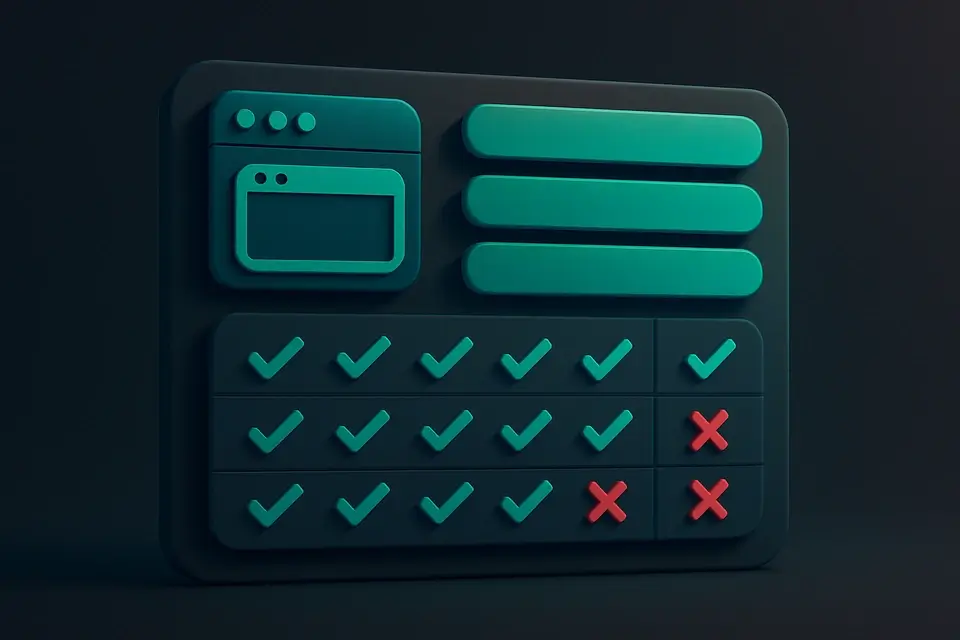
Browser Feature Detector
Browser Feature Detector tool for network operations.
Open the Detector
Load the tool to automatically scan your browser for supported features.
Review Detected Features
Browse the categorized list of detected browser APIs and capabilities.
Copy Detection Results
Copy the results to your clipboard for documentation or sharing.
What Is Browser Feature Detector?
A Browser Feature Detector is a tool that scans the user's browser to identify supported features and capabilities, providing an overview of what functions are available for use in web development projects. Developers and network engineers typically use it to determine what features they can safely implement without compromising compatibility across different browsers and devices. One specific problem it solves is identifying whether a particular API, such as Web Workers or WebGL, is supported by the user's browser, allowing developers to make informed decisions about their project's technical requirements.
It differs from other tools in its comprehensive approach, covering over 30 categories of features including Storage, Media, Graphics, Security, and CSS capabilities. The tool can detect support for specific APIs like Service Workers, WebSocket, and Web Crypto, as well as newer features such as CSS Container Queries and WebGPU. By using it, developers can perform a browser compatibility check and instantly see what features their browser supports, making it an essential browser API detection tool for anyone looking to check browser features online.
The tool's ability to detect browser capabilities in real-time, without sending any data to servers, makes it particularly useful for security-conscious developers who need to verify the capabilities of their users' browsers. With its mobile-friendly interface and instant results, it has become a go-to solution for detecting what features a browser supports, allowing developers to create more compatible and efficient web applications.
Why Use Browser Feature Detector?
-
Instant feature detection on page load
-
100% client-side processing
-
Mobile-friendly — test on any device
-
No signup required
Common Use Cases
Development
Web dev and debugging.
Networking
Network config.
Education
Learn concepts.
Security
Security analysis.
Technical Guide
The tool works by utilizing the `detectFeatures` function, which returns an array of objects containing information about the browser's supported features. This function checks for support of various APIs, such as Service Workers, Web Workers, and WebGL, by using the `in` operator to verify if certain properties exist in the `navigator` or `window` objects. For example, it checks if `'serviceWorker' in navigator` to determine if Service Workers are supported. Additionally, it uses the `CSS.supports` method to check for support of specific CSS features like CSS Grid and CSS Flexbox.
The tool also employs React hooks, specifically `useState` and `useEffect`, to manage state and handle side effects. The `detectFeatures` function is called within a `useEffect` hook, which updates the component's state with the detected features when the component mounts. The `useCallback` hook is used to memoize functions like `getCatCount` and `copyResults`, which helps improve performance by preventing unnecessary re-renders.
In terms of data structures, the tool uses arrays and objects to store information about the browser's supported features. The `features` array contains objects with properties like `name`, `category`, and `supported`, which provide detailed information about each feature. The tool also uses JavaScript's built-in `Map` and `Set` data structures indirectly through methods like `Array.from` and `new Set`, which help to process and transform the feature data.
The tool interacts with browser APIs like the Clipboard API, which is used to copy the feature report to the user's clipboard. It also uses the `navigator.clipboard` object to write text to the clipboard. Furthermore, it utilizes Web APIs like WebAssembly and WebGL to detect support for these features in the browser. The tool's use of these technologies enables it to provide a comprehensive overview of the browser's capabilities, making it a valuable resource for developers who need to determine what features they can safely implement in their web applications.
Tips & Best Practices
-
1Filter results by category to view supported features
-
2Detect browser capabilities on page load using useEffect
-
3Copy feature reports to clipboard using navigator.clipboard.writeText
-
4Calculate support percentages for each category
-
5Use CSS.supports to detect specific CSS features like Grid and Flexbox
-
6Check for supported APIs like Service Workers and Web Workers
Related Tools


URL Builder
URL Builder tool for network operations.
🌐 Network & Web

Unicode Character Search
Unicode Character Search tool for network operations.
🌐 Network & Web

CORS Proxy Tester
CORS Proxy Tester tool for network operations.
🌐 Network & Web

What Is My Screen Resolution
What Is My Screen Resolution tool for network operations.
🌐 Network & WebFrequently Asked Questions
Q Is the Browser Feature Detector free to use?
Q Is it safe to use this tool?
Q Does it work on mobile devices?
Q Can I use it offline?
Q What browsers are supported?
About This Tool
Browser Feature Detector is a free online tool by FreeToolkit.ai. All processing happens directly in your browser — your data never leaves your device. No registration or installation required.