Unicode Escape Converter Convert text to Unicode escape sequences (\uXXXX format).


Unicode Escape
Convert text to Unicode escape sequences (\uXXXX format).
Enter Text
Type or paste the text to convert.
View Escaped Output
Unicode escape sequences appear instantly.
Copy Result
Click Copy to copy the escape sequences.
What Is Unicode Escape?
A Unicode Escape refers to the process of converting characters into their corresponding unicode escape sequence representation, typically denoted as \uXXXX, where XXXX represents a 4-digit hexadecimal code point in the Unicode character set. Developers working with programming languages such as JavaScript, JSON, Java, C#, and Python use this format for strings that include non-ASCII characters. One specific problem it solves is ensuring proper text encoding when dealing with special or international characters, which can often cause issues if not handled correctly.
The tool in question takes this process a step further by implementing a custom unicode converter function, specifically designed to handle code points above U+FFFF, using the \u{XXXXX} format for these extended Unicode escape sequences. This distinction is crucial as it allows the tool to accurately represent and convert characters outside the Basic Multilingual Plane.
What sets it apart from other text-to-unicode conversion methods is its ability to preserve ASCII characters in their original form while converting all non-ASCII characters into unicode escape sequences, thus maintaining readability for developers working with these strings. The client-side processing also ensures that no data leaves the user's browser during this process, enhancing security and privacy of sensitive information being converted using it as a unicode encoder.
Why Use Unicode Escape?
-
Convert any text to universal \uXXXX escape sequences
-
Handles surrogate pairs for emoji and supplementary characters
-
100% client-side — data never leaves your browser
-
Compatible with JavaScript, JSON, Java, C#, and Python
Common Use Cases
Source Code
Embed international text in source code using escape sequences.
JSON Data
Escape non-ASCII characters in JSON strings.
Configuration
Represent Unicode in ASCII-only configuration files.
Debugging
Inspect exact code points of Unicode characters.
Technical Guide
The tool works by first converting the input string into an array of individual characters using the spread operator. Then, it maps over each character to obtain its Unicode code point using the codePointAt method, which returns a single number representing the Unicode value of the given UTF-16 code unit. If the code point is greater than 0xffff, it uses template literals to format the code point as a Unicode escape sequence in the \u{XXXXX} format, where XXXXX represents the hexadecimal representation of the code point. For code points less than or equal to 0xffff, it formats them as \uXXXX with zero-padded 4-digit hex using the toString method and padStart.
The React library's useCallback hook is used to memoize the onProcess function, which wraps the unicodeEscape function, ensuring that it is not recreated unnecessarily. This optimization improves performance by reducing the number of times the function is redefined. The TextToolLayout component from the @/components/shared directory handles rendering the input and output fields, as well as calling the onProcess function when the user submits their input. Error handling is implemented using a try-catch block, which catches any exceptions that occur during the conversion process and returns an error message.
When processing supplementary characters, which have code points above U+FFFF, JavaScript internally represents them as UTF-16 surrogate pairs. The tool handles these characters correctly by using the \u{XXXXX} syntax to represent their Unicode escape sequences. This is made possible by modern JavaScript's support for this extended syntax, allowing the tool to accurately convert and display a wide variety of Unicode characters in their escaped form.
Tips & Best Practices
-
1ASCII characters (32-126) are preserved for readability
-
2Emoji use surrogate pairs in \uXXXX format
-
3Output is valid in JavaScript, JSON, Java, and C# strings
-
4Use \u{XXXXX} in modern JavaScript to avoid surrogate pairs
Related Tools


URL Encode (Full)
Percent-encode all special characters in a URL string.
🔐 Encoding & Crypto

HTML Entity Encode
Convert special characters to HTML entities for safe web embedding.
🔐 Encoding & Crypto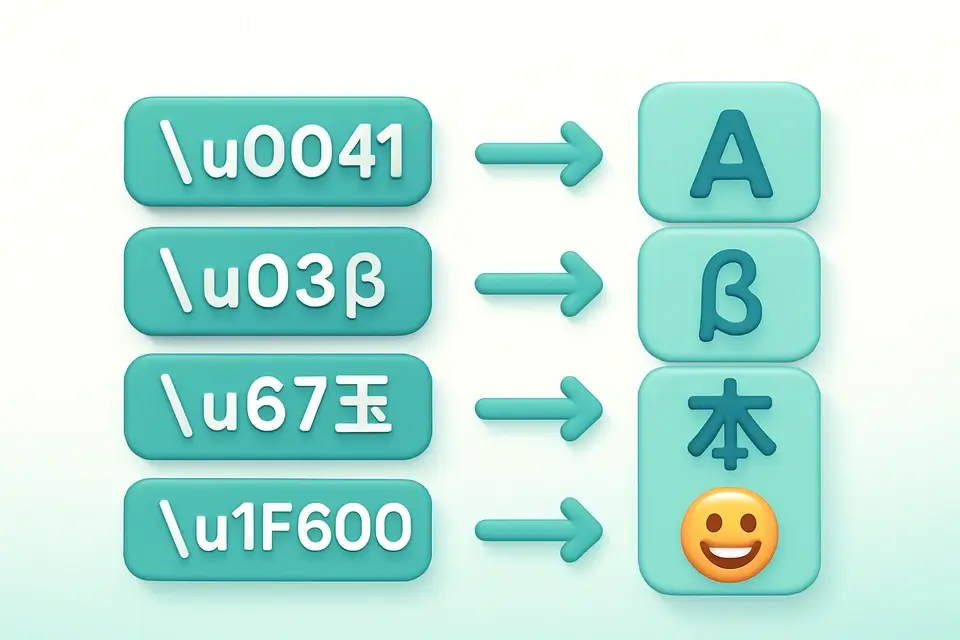

Unicode Unescape
Convert Unicode escape sequences (\uXXXX) back to readable text.
🔐 Encoding & Crypto

UTF-8 Encode/Decode
View UTF-8 byte representations of text and decode byte sequences.
🔐 Encoding & CryptoFrequently Asked Questions
Q Is this tool free?
Q Is my data secure?
Q What are surrogate pairs?
Q What browsers are supported?
Q Which languages support this format?
About This Tool
Unicode Escape is a free online tool by FreeToolkit.ai. All processing happens directly in your browser — your data never leaves your device. No registration or installation required.