Encrypt and Decrypt with Triple DES in Your Browser Encrypt and decrypt using Triple DES (3DES) for legacy encryption.

Triple DES Encrypt/Decrypt
Encrypt and decrypt using Triple DES (3DES) for legacy encryption.
Enter plaintext or ciphertext
Type or paste text to encrypt or decrypt.
View encrypted or decrypted output
Results appear in real time.
Copy the result
Click Copy to copy the output.
What Is Triple DES Encrypt/Decrypt?
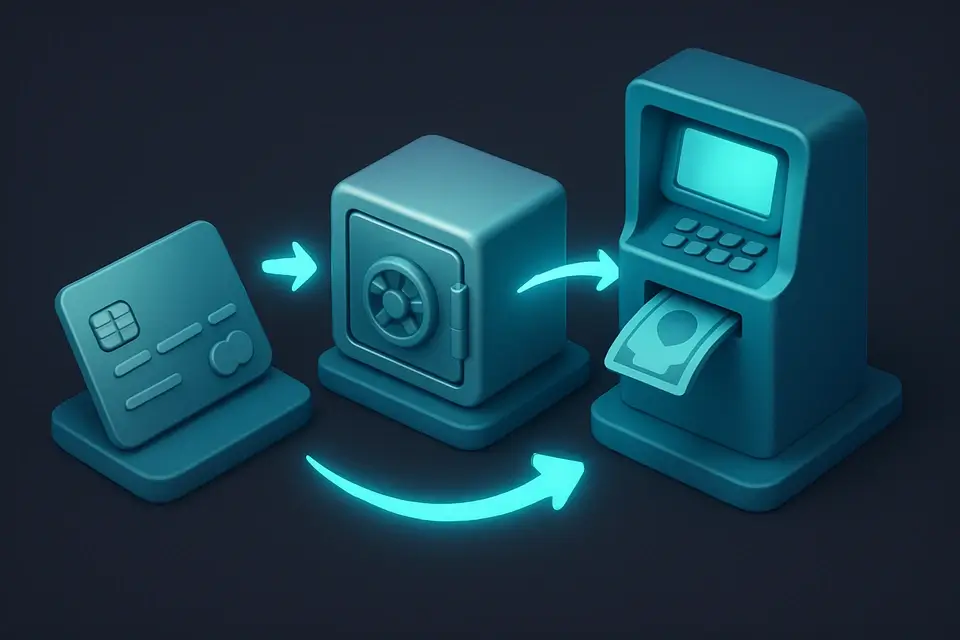
A Triple DES Encrypt/Decrypt is a cryptographic tool that applies the Data Encryption Standard (DES) three times in an encrypt-decrypt-encrypt (EDE) sequence to provide secure encryption and decryption of data. This technique is widely used by financial institutions, such as banks and ATM operators, as well as in EMV payment systems, where it solves the specific problem of protecting sensitive financial information from unauthorized access. The use of three keys provides a higher level of security, equivalent to 112-bit security, making it more difficult for attackers to brute-force the encryption.
The tool is built using the CryptoJS library and operates entirely on the client-side, ensuring that sensitive data never leaves the user's browser. What makes this implementation different is its ability to handle both 3DES encrypt and triple DES decrypt operations in a single interface, allowing users to easily switch between modes using buttons labeled "encrypt" and "decrypt". It also features a simple and intuitive input field for entering the secret key, as well as separate text areas for entering plain text or ciphertext and displaying the resulting encrypted or decrypted output.
It supports 3DES online encryption and decryption, making it a useful utility for developers who need to work with this legacy encryption standard. The tool's client-side operation ensures that all data processing occurs locally, without relying on server-side infrastructure, which can be an advantage in certain scenarios where data privacy is a concern.
Why Use Triple DES Encrypt/Decrypt?
-
Fast, accurate processing
-
100% client-side — data never leaves your browser
-
Free online tool with no signup required
-
Mobile-friendly with 44px touch targets
Common Use Cases
Development
Use in software development workflows.
Security
Cryptographic and security applications.
Education
Learn about algorithms and techniques.
Verification
Verify and validate data integrity.
Technical Guide
Under the hood, this tool utilizes the CryptoJS library to perform Triple DES encryption and decryption operations on the client-side. The algorithm used is a variation of the Data Encryption Standard (DES), where the input data is encrypted with the first key (K1), then decrypted with the second key (K2), and finally re-encrypted with the third key (K3). This process can be represented as C = DES_E(K3, DES_D(K2, DES_E(K1, P))), where P is the plaintext input. The CryptoJS library uses the EVP_BytesToKey function to derive the keys from the provided secret key.
When a user selects the encryption mode and inputs their data, the tool processes it in 64-bit blocks, which can be vulnerable to Sweet32 attacks after approximately 32 GB of encrypted data. To mitigate this, users should limit the amount of data they encrypt at one time or consider using more secure encryption algorithms. The decryption process works similarly, with the tool first decrypting the input ciphertext with the third key (K3), then re-encrypting it with the second key (K2), and finally decrypting it again with the first key (K1) to retrieve the original plaintext.
The React library is used to manage the user interface and handle events such as button clicks and text input changes. When a user clicks the "Encrypt" or "Decrypt" button, the tool calls the process function, which checks if both the input data and secret key are provided, then performs the corresponding encryption or decryption operation using CryptoJS's TripleDES.encrypt or TripleDES.decrypt functions. The result is displayed in a separate text area for the user to copy or further manipulate.
Error handling is also implemented to catch any exceptions that occur during the encryption or decryption process, such as when an invalid key or input data is provided. In these cases, an error message is displayed to inform the user of the issue and suggest possible corrections. Additionally, the tool provides a "Clear All" button to reset all input fields and output areas, allowing users to start fresh with new data and keys.
The use of client-side JavaScript libraries like CryptoJS and React enables this tool to operate entirely within the browser, eliminating the need for server-side infrastructure or network communication. This approach ensures that sensitive data remains local to the user's device and is never transmitted over the internet, enhancing security and privacy for users working with encrypted data.
In terms of key management, the tool relies on the user to provide a valid secret key for encryption and decryption operations. The CryptoJS library uses this key to derive the necessary sub-keys through the EVP_BytesToKey function, which is based on the OpenSSL implementation. Users should ensure that their secret keys are securely generated and stored to maintain the confidentiality and integrity of their encrypted data.
The tool's ability to handle both encryption and decryption in a single interface makes it convenient for users who need to work with 3DES-encrypted data. By providing separate text areas for input and output, as well as clear button labels and error messages, this implementation aims to simplify the process of working with Triple DES encryption and decryption for developers and non-experts alike.
Tips & Best Practices
-
1All processing happens in your browser
-
2Results are deterministic for the same input
-
3Use Copy button to quickly grab output
-
4Works on mobile devices with touch-friendly interface
Related Tools


Base64 Encode
Encode text to Base64 format instantly in your browser.
🔐 Encoding & Crypto

MD5 Hash Generator
Generate MD5 hash digests.
🔐 Encoding & Crypto

SHA-256 Hash Generator
Generate SHA-256 hash digests.
🔐 Encoding & Crypto

AES Encrypt/Decrypt
Encrypt and decrypt text using AES with a passphrase.
🔐 Encoding & CryptoFrequently Asked Questions
Q Is this tool free?
Q Is my data secure?
Q Does it work on mobile?
Q What browsers are supported?
Q Can I use this offline?
About This Tool
Triple DES Encrypt/Decrypt is a free online tool by FreeToolkit.ai. All processing happens directly in your browser — your data never leaves your device. No registration or installation required.