Base85 / Ascii85 Encoder Encode text to Base85 (Ascii85) format for compact binary-to-text encoding.
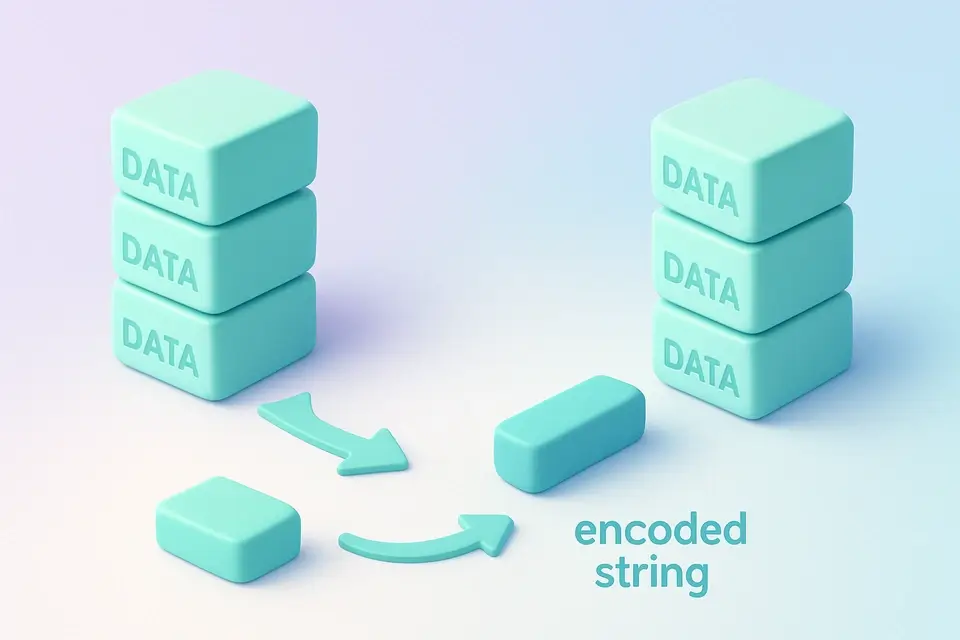

Base85 Encode
Encode text to Base85 (Ascii85) format for compact binary-to-text encoding.
Enter Text
Type or paste the text you want to encode.
View Base85 Output
The Base85-encoded result appears instantly.
Copy Result
Click the Copy button to copy the encoded string.
What Is Base85 Encode?
Base85 Encode is a binary-to-text encoding that uses 85 printable ASCII characters to represent binary data in a compact format. It's commonly used by developers working with PostScript files, PDFs, Git binary patches, and ZeroMQ, who need to encode binary data as text without significantly increasing its size. One specific problem it solves is the efficient transmission of binary data over text-based channels, where using Base64 would result in larger encoded strings due to its 33% overhead.
The tool implements standard Ascii85 encoding, which means every 4 bytes of input produce 5 characters, resulting in only 25% overhead. A special case handled by it is when four zero bytes are encountered, in which case they are encoded as 'z'. This implementation also ensures all processing happens client-side, using the TextEncoder API to encode input strings into bytes before applying the base85 encoding algorithm.
What makes this tool different is its use of a specific encoding scheme and handling edge cases like the 'z' special case. When encoding data with it, users can expect output in the format '<~encoded_data~>', where encoded_data is the actual Base85-encoded string produced from the input bytes. This compact encoding format is particularly useful for applications requiring base85 online encoding or ascii85 encoding of binary data to be transmitted over text-based channels.
Why Use Base85 Encode?
-
25% overhead vs Base64's 33% — more compact encoding
-
Standard format used in PDF, PostScript, and Git
-
100% client-side — data never leaves your browser
-
Free online tool with no limits or signup
Common Use Cases
PDF Embedding
Encode binary data for embedding in PDF and PostScript files.
Compact Encoding
Achieve smaller encoded output than Base64.
Git Patches
Work with Git's binary diff format that uses Base85.
Data Transfer
Encode binary data using only printable ASCII.
Technical Guide
The base85 encoding process starts by using the TextEncoder API to convert input strings into bytes, which are then processed in chunks of four bytes at a time. Each chunk is treated as a 32-bit unsigned integer, with values ranging from 0 to 4294967295. This integer value is repeatedly divided by 85, and each remainder is used to generate the encoded characters. The remainders map to ASCII characters in the range 33-117, which includes all uppercase and lowercase letters, as well as some special characters.
In React, the useCallback hook is used to memoize the onProcess function, ensuring that it's only recreated when necessary. This optimization helps improve performance by reducing unnecessary re-renders of the TextToolLayout component. When encoding data, the tool uses a loop to process each chunk of four bytes, applying the base85 algorithm and appending the resulting characters to the output string. If a chunk contains all zeros, it's encoded as 'z', which is a shorthand representation that helps reduce the overall size of the encoded data.
The use of TypeScript in the implementation provides type safety and helps catch errors at compile-time, rather than runtime. The TextEncoder API, specifically, provides an efficient way to convert strings into bytes, which is necessary for the base85 encoding process. By using this API, the tool can ensure accurate results and handle edge cases correctly, such as partial final groups that need to be padded with zeros before encoding. Overall, the combination of React, TypeScript, and the TextEncoder API enables a efficient and reliable implementation of the base85 encoding algorithm.
The encoded data is formatted according to the standard Ascii85 specification, which requires the output string to start with '<~' and end with '~>'. This format helps ensure that the encoded data can be easily identified and processed by other systems or applications. By following this specification, the tool ensures compatibility with existing base85 implementations and enables seamless integration into various workflows or pipelines. The resulting encoded strings are compact and efficient, making them suitable for transmission over text-based channels, such as email or messaging protocols.
Tips & Best Practices
-
1Base85 is ~7% more compact than Base64 for the same data
-
2The 'z' shorthand represents four zero bytes
-
3Used internally by PDF for stream encoding
-
4The Z85 variant uses a different character set — this tool uses standard Ascii85
Related Tools


Base64 Encode
Encode text to Base64 format instantly in your browser.
🔐 Encoding & Crypto

Base32 Encode
Encode text to Base32 format using the RFC 4648 standard alphabet.
🔐 Encoding & Crypto

Base58 Encode
Encode text to Base58 format used by Bitcoin and IPFS.
🔐 Encoding & Crypto
Base85 Decode
Decode Base85 (Ascii85) encoded strings back to plain text.
🔐 Encoding & CryptoFrequently Asked Questions
Q Is this tool free?
Q Is my data secure?
Q How is Base85 more compact than Base64?
Q What browsers are supported?
Q Is this the same as Z85?
About This Tool
Base85 Encode is a free online tool by FreeToolkit.ai. All processing happens directly in your browser — your data never leaves your device. No registration or installation required.