Craft Professional Replies to Customer Reviews Professional response templates for positive, negative, and neutral customer reviews.
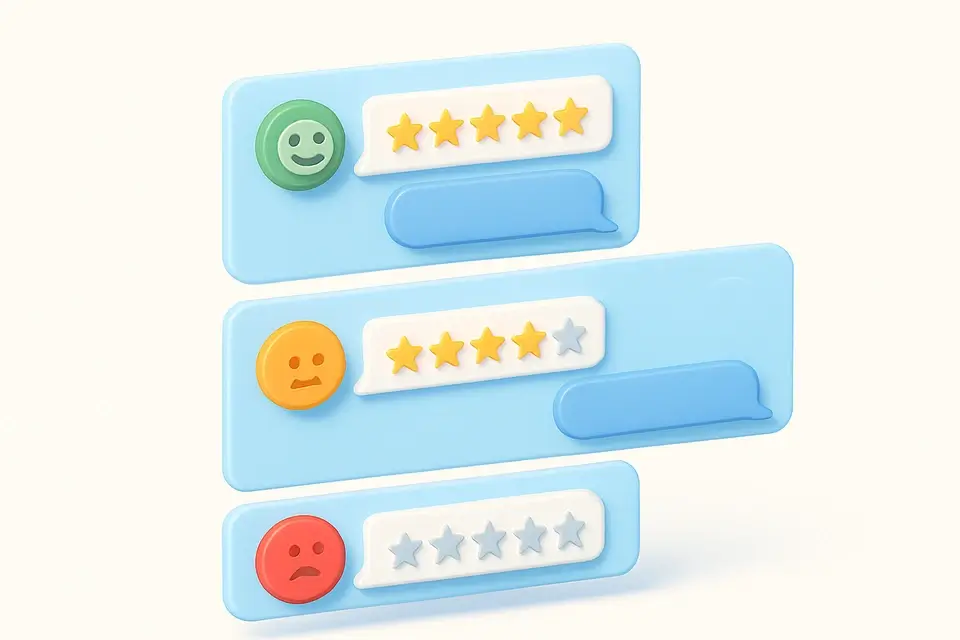

Review Response Templates
Professional response templates for positive, negative, and neutral customer reviews.
Select review type
Choose from positive, negative, neutral, or review request templates.
Browse templates
Find the template that matches your situation.
Copy and customize
Copy the template and replace {placeholders} with specific details.
What Is Review Response Templates?
A Review Response Templates is a set of pre-designed responses used to reply to customer reviews in a professional and timely manner. Businesses use it to manage their online reputation and improve customer retention, as responding to reviews can increase trustworthiness by up to 1.7 times. One specific problem it solves is providing a consistent tone and language when responding to negative reviews, which can be challenging for businesses to handle without coming across as defensive or argumentative.
It includes templates for various review types, such as positive, negative, neutral, and review requests, each with its own set of response examples, like grateful, enthusiastic, and professional responses for positive reviews. What makes this tool different is its ability to provide copy-ready responses with placeholders for personalization, allowing businesses to quickly customize their replies with the reviewer's name, specific details from the review, and other relevant information.
The tool offers features like a "Best Practices" section, which advises responding within 24-48 hours, using the reviewer's name, and being specific when referencing details from the review. For example, when dealing with negative reviews, it suggests taking the conversation offline, as seen in the "Empathetic Response" template. By using this tool, businesses can ensure they're providing professional review reply examples that improve their google review response and overall customer review reply strategy, ultimately helping them to effectively respond to both positive and negative reviews.
Why Use Review Response Templates?
-
Templates for 4 review types: positive, negative, neutral, request
-
Multiple variations per type for avoiding repetitive responses
-
Clear {placeholder} markers for easy personalization
-
Best practices guide for review management
-
Professional tone that protects brand reputation
Common Use Cases
Google Reviews
Respond promptly and professionally to Google Business reviews.
Yelp Management
Craft appropriate responses for Yelp reviews.
E-commerce
Reply to product reviews on Amazon, Shopify, etc.
App Store Reviews
Address app store ratings and reviews.
Technical Guide
Under the hood, it utilizes React's useState hook to manage state changes, specifically storing the current review type and copied template ID in memory. The copyToClipboard function from the @/lib/utils library is used in conjunction with the browser's Clipboard API to handle template copying. When a user clicks the "Copy" button, it calls the handleCopy function, which invokes copyToClipboard with the template text and ID as arguments. If the copying operation is successful, it updates the component state by setting the copied ID, displaying a confirmation message for 2 seconds before resetting.
It relies on a JavaScript object called TEMPLATES to store pre-designed response templates, categorized by review type. Each category contains an array of objects with name and template properties. The template property holds a string with placeholders for personalization, such as {name}, {product/service}, and {specific aspect}. When rendering the component, it uses the Object.keys method to iterate over the TEMPLATES object's keys, generating buttons for each review type. Upon selecting a review type, it updates the component state and re-renders the template list with the corresponding response examples.
The tool employs a combination of React hooks, JavaScript data structures, and browser APIs to deliver its functionality. Specifically, it uses the Record type from TypeScript to define an object called typeLabels, which maps review types to label and emoji properties. This object is used to render buttons with descriptive labels and icons for each review type. Additionally, it utilizes CSS classes like glass-card and text-sm to style the component's UI elements, ensuring a visually appealing and user-friendly interface.
Tips & Best Practices
-
1Respond to ALL reviews within 24-48 hours
-
2Always use the reviewer's name when available
-
3Never be defensive in negative review responses
-
4For negative reviews, offer to continue the conversation privately
-
5Thank every reviewer regardless of sentiment
Related Tools

Social Proof Generator
Generate social proof HTML elements — badges, banners, counters, and testimonial blocks.
📱 Social Media
Social Media Audit Checklist
Interactive social media audit checklist with progress tracking across 5 categories.
📱 Social Media

Email Subject Line Tester
Score and optimize email subject lines for open rates with actionable suggestions.
📱 Social Media

QR Code for Social Profile
Generate customizable QR codes for social media profiles with color options and PNG download.
📱 Social MediaFrequently Asked Questions
Q Is it worth responding to positive reviews?
Q How quickly should I respond to negative reviews?
About This Tool
Review Response Templates is a free online tool by FreeToolkit.ai. All processing happens directly in your browser — your data never leaves your device. No registration or installation required.