Extract Domain Names from URLs and Text Domain Extractor tool for network operations.

Domain Extractor
Domain Extractor tool for network operations.
Paste URLs or Text
Paste your URLs, HTML, or raw text containing domain names into the input field.
Extract Domains
Click the extract button to parse and pull all domain names from your input.
Copy Extracted Domains
Copy the list of extracted domains to your clipboard.
What Is Domain Extractor?
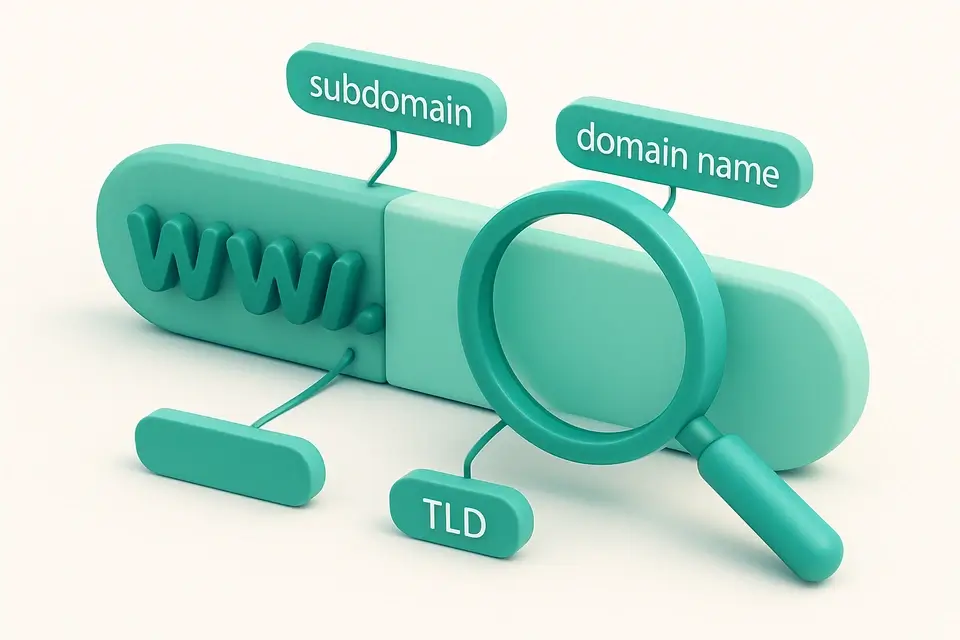
A Domain Extractor is a software tool designed to extract domain names from URLs or text inputs, providing the registrable domain, subdomain, and top-level domain (TLD) for each extracted domain. Network engineers and developers use it to quickly process large lists of URLs and identify the underlying domains. One specific problem it solves is handling country-code second-level domains (ccSLDs), such as co.uk or com.au, which require special processing to correctly extract the registrable domain.
The tool uses a heuristic approach to detect ccSLDs, checking if the second-last part of the domain is in a list of known second-level domains and if the last part has a length of three characters or less. This allows it to accurately extract domains from URLs like https://blog.shop.co.uk. What makes this tool different is its ability to handle bulk domain extraction, allowing users to input multiple URLs separated by newlines and receive instant results.
It also features a user-friendly interface with buttons to copy the extracted domains or full report, including hostname, registrable domain, subdomain, and TLD. As a free domain extractor running entirely in the browser, it provides a convenient way to extract domains from URL inputs without sending any data to servers, making it suitable for use as a bulk domain extraction tool or domain name extractor online to pull domains from text.
Why Use Domain Extractor?
-
Domains extracted instantly
-
100% client-side
-
Works on phones and tablets
-
No signup required
Common Use Cases
Development
Web dev and debugging.
Networking
Network config.
Education
Learn concepts.
Security
Security analysis.
Technical Guide
The tool works by utilizing the `URL` API in browsers to break down input URLs into their constituent parts, such as hostname, protocol, and pathname. It then applies a custom algorithm to extract the registrable domain, subdomain, and top-level domain (TLD) from the hostname. This algorithm checks if the second-last part of the domain is in a predefined list of known second-level domains, stored in the `KNOWN_SECOND_LEVEL` array, to handle country-code second-level domains (ccSLDs) like co.uk or com.au. The `extractDomain` function returns an object containing the extracted domain information, including any errors that may have occurred during processing.
The tool uses React hooks, specifically `useState`, `useCallback`, and `useMemo`, to manage state and optimize performance. It stores input URLs in a state variable `input` and updates the `results` state variable whenever the input changes. The `results` state variable is an array of objects, where each object represents an extracted domain with its corresponding information. The tool also uses the `copyToClipboard` function from the `@/lib/utils` module to handle copying extracted domains or full reports to the clipboard.
In terms of data structures, the tool relies on arrays and objects to store and manipulate domain extraction results. It uses the `split` method to divide input URLs into individual lines and the `map` method to apply the `extractDomain` function to each line. The resulting array of extracted domains is then filtered and sorted using various array methods, such as `filter` and `some`, to handle errors and display the results in a user-friendly format.
The tool's interface is built using React components, including `InputWithHelp` from the `@/components/shared` module, which provides a text area for inputting URLs and a help text displaying instructions on how to use the tool. The interface also features buttons to copy extracted domains or full reports, which are implemented using React hooks and browser APIs like the `copyToClipboard` function. Overall, the tool's architecture is designed to provide a fast, efficient, and user-friendly domain extraction experience, leveraging modern web technologies like JavaScript, React, and browser APIs.
Tips & Best Practices
-
1Split input by newline characters to extract domains from multiple URLs at once
-
2Use the 'Copy Domains' button to copy all registrable domains to the clipboard
-
3Click on individual 'Copy' buttons to copy specific hostnames or details
-
4Enter URLs without protocols to automatically prepend https://
-
5Inspect error messages for invalid URLs to correct input
-
6Disable spell checking in the input field by setting spellCheck=false
Related Tools


What Is My Screen Resolution
What Is My Screen Resolution tool for network operations.
🌐 Network & Web

CSR Decoder
CSR Decoder tool for network operations.
🌐 Network & Web

MIME Type Reference
MIME Type Reference tool for network operations.
🌐 Network & Web

SSL Certificate Decoder
SSL Certificate Decoder tool for network operations.
🌐 Network & WebFrequently Asked Questions
Q Is the Domain Extractor free to use?
Q Is it safe to extract domains with this tool?
Q Does this tool work on mobile devices?
Q Can I use the Domain Extractor offline?
Q What browsers are supported?
About This Tool
Domain Extractor is a free online tool by FreeToolkit.ai. All processing happens directly in your browser — your data never leaves your device. No registration or installation required.