Validate Your MAC Address Online Validate MAC addresses in multiple formats with OUI prefix identification.

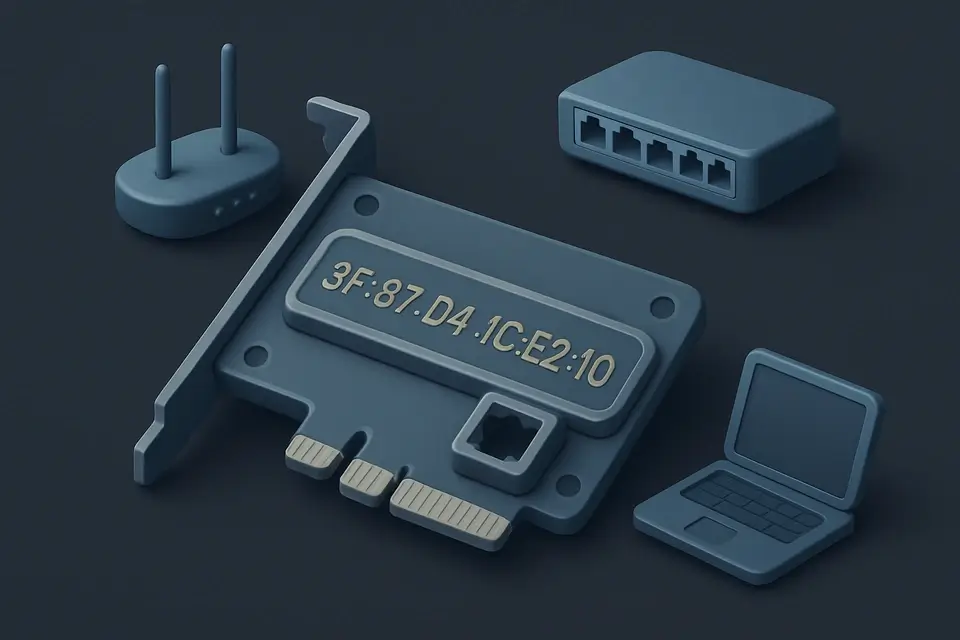
MAC Address Validator
Validate MAC addresses in multiple formats with OUI prefix identification.
Enter Your MAC Address
Type or paste the MAC address you want to validate into the input field.
Click Validate
Click the Validate button to check the address against IEEE 802 format rules.
Review Validation Results
See whether the address is valid, its format type, unicast/multicast status, and OUI prefix details.
What Is MAC Address Validator?
A MAC Address Validator is a tool that checks the validity of Media Access Control addresses, ensuring they comply with IEEE 802 standards for 48-bit or 64-bit hardware addresses. Network administrators and developers use it to verify the correctness of MAC addresses in their systems. One specific problem it solves is identifying invalid or malformed MAC addresses that can cause issues in network communication.
The tool is particularly useful for checking mac address format, as it accepts various formats such as colon, dash, dot, or no separator, making it easy to validate mac addresses from different sources. It also checks the type of MAC address, whether it's unicast or multicast, and determines if it's universally or locally administered.
What makes this tool different is its ability to provide detailed information about the validated MAC address, including the OUI manufacturer prefix, which can be used to identify the vendor of a device. For instance, when you use the mac address checker to validate a MAC address, it not only checks if the address is valid but also provides additional details such as the colon notation, dash notation, and dot notation of the validated address, allowing users to easily check mac address online and get detailed results. This level of detail makes it a useful tool for anyone who needs to work with MAC addresses regularly.
Why Use MAC Address Validator?
-
Fast and accurate validation with detailed feedback
-
Runs entirely in your browser — your data stays private
-
No signup or installation required
-
Mobile-friendly responsive interface
Common Use Cases
Validating MAC Addresses for Network Configuration
As a network administrator, Emily needs to verify the MAC addresses of devices on her company's network. She enters each address into the validator and checks if it is in the correct format. If valid, she proceeds with configuring the device.
Troubleshooting Ethernet Connection Issues
When troubleshooting a faulty Ethernet connection, David uses this tool to check the MAC address of his router. He discovers that the address is invalid due to incorrect formatting and corrects it, resolving the issue.
Ensuring Device Security with Unique MAC Addresses
To prevent device duplication, manufacturers like Samsung use unique MAC addresses for each product. The validation process helps ensure these addresses are correctly formatted and do not duplicate existing ones.
Configuring Virtual Machines with Valid MAC Addresses
Alex, a developer, creates virtual machines for testing purposes and assigns them MAC addresses. He verifies these addresses using the validator to avoid conflicts with physical devices on the network.
Identifying Unknown Devices on a Network
After detecting an unknown device on his network, Jack uses the validator to check its MAC address. By determining if the address is valid and identifying its vendor prefix, he can decide whether to allow or block the device.
Technical Guide
Under the hood, the tool uses regular expressions to normalize the input MAC address by removing common separators such as colons, dashes, dots, and whitespace characters. It then checks if the cleaned string consists only of hexadecimal digits using the test method of the RegExp object with the pattern /^[0-9A-F]+$/. If the input is invalid, it returns an object with a valid property set to false and an array of details explaining the error.
The tool uses JavaScript's built-in parseInt function to convert the first byte of the MAC address from a hexadecimal string to an integer, which is then used to determine if the address is unicast or multicast by checking the least significant bit. It also checks the second least significant bit to determine if the address is universally or locally administered. The OUI manufacturer prefix is extracted by taking the first six characters of the cleaned MAC address and formatting them with colons using the join method of the Array object.
The React library is used to build the user interface, with components such as input fields, buttons, and div elements. The useState hook is used to store the input MAC address and the result of the validation in the component's state, while the useCallback hook is used to memoize the handleValidate function to prevent unnecessary re-renders. When the user clicks the Validate button or presses the Enter key, the handleValidate function calls the validateMac function with the current input MAC address and updates the component's state with the result.
The validateMac function uses an object with two properties: valid and details. The valid property is a boolean indicating whether the MAC address is valid, and the details property is an array of strings providing more information about the validated address. If the MAC address is valid, the details array contains strings with checkmarks indicating that the address has a valid length, format, and type, as well as its OUI manufacturer prefix and notation in different formats. The tool also checks for the broadcast address FFFFFFFFFFFF and indicates if it is the case.
Tips & Best Practices
-
1Check the detailed validation output for specific issues
-
2All processing happens client-side for privacy
-
3Bookmark this page for quick MAC address checks during network troubleshooting
-
4Try different formats like colon (AA:BB:CC:DD:EE:FF), dash, and dot notation to compare results
Related Tools


Email Validator
Validate email addresses against RFC 5322 format rules with detailed error explanations.
🧰 Miscellaneous

Credit Card Validator
Validate credit card numbers using the Luhn algorithm with card network detection.
🧰 Miscellaneous

URL Validator
Validate URL format and structure with protocol, domain, path, and query string analysis.
🧰 Miscellaneous

JSON Validator
Validate JSON syntax with detailed error messages showing the exact location of issues.
🧰 MiscellaneousFrequently Asked Questions
Q Is this MAC address validator free?
Q Is my MAC address data safe when using this tool?
Q Does the MAC address validator work on mobile devices?
Q How accurate is MAC address validation?
About This Tool
MAC Address Validator is a free online tool by FreeToolkit.ai. All processing happens directly in your browser — your data never leaves your device. No registration or installation required.