Split Images Into Equal Grid Tiles Split a single image into a grid of equal-sized tiles for Instagram grids and puzzles.
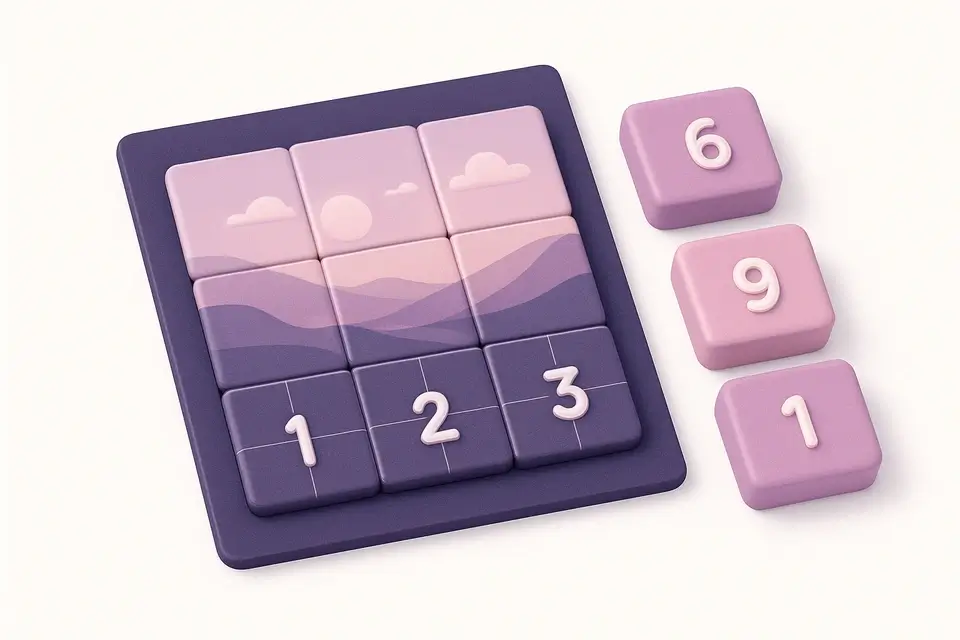
Image Grid Maker
Split a single image into a grid of equal-sized tiles for Instagram grids and puzzles.
Upload Image
Drop or select an image to split into a grid.
Set Grid Size
Choose the number of rows and columns for your grid.
Download Tiles
Preview the grid and download individual tiles or all at once.
What Is Image Grid Maker?
An Image Grid Maker is a software application that splits a single image into perfectly equal tiles arranged in rows and columns, allowing users to create custom grids with ease. Graphic designers and social media managers use it to solve the problem of creating visually appealing Instagram grids, where an image needs to be split into multiple parts to convey a message or tell a story.
It solves this specific problem by providing an intuitive interface for choosing grid dimensions, such as 2x2, 3x3, or 4x4, and previewing the split result before downloading individual tiles or all at once. What makes this tool different is its ability to use the Canvas API to crop exact regions from the source image, ensuring that each tile is a precise representation of the original image.
The tool also allows users to customize their grid by setting the number of rows and columns, with options ranging from 1 to 10 for both dimensions. Each tile is numbered for easy reassembly, making it simple to recreate the original image or use the tiles in a different context, such as creating an image puzzle or a multi-part post on social media platforms like Instagram. This functionality makes it a useful image splitter for anyone looking to create a photo grid with precision and control.
Why Use Image Grid Maker?
-
Split into any rows x columns grid
-
Perfect for Instagram grid layouts
-
Download individual or all tiles at once
-
Tiles are numbered for easy ordering
Common Use Cases
Instagram Grids
Split panoramic images into 3x1 or 3x3 grids for cohesive Instagram profiles.
Image Puzzles
Create sliding puzzle or jigsaw-style tile sets from photos.
Large Prints
Split large images into printable sections for wall displays.
Web Design
Create tiled image backgrounds and mosaic layouts.
Technical Guide
Under the hood, the tool utilizes React hooks such as useState, useRef, useCallback, and useEffect to manage state changes and handle image processing efficiently. When an image file is dropped into the FileDropzone component, it triggers a callback function that sets the image state using URL.createObjectURL to create a temporary URL for the uploaded file. The useEffect hook ensures that this temporary URL is revoked when the image is no longer needed, preventing memory leaks.
The tool employs the Canvas API to extract individual tiles from the source image. Specifically, it uses the drawImage method with calculated source rectangle parameters based on the specified rows and columns. This allows for precise cropping of each tile region. The resulting tiles are stored as data URLs in an array using the toDataURL method of the canvas context. Each tile object contains its corresponding row and column indices, facilitating easy identification and reassembly.
The download functionality relies on creating a new anchor element with a dynamically generated filename based on the tile's position in the grid. When the user clicks on a tile or the "Download All" button, it simulates a click event on this anchor element, triggering the browser to initiate a file download using the data URL as the source. This approach enables users to save individual tiles or all tiles at once without requiring server-side processing. The tool also uses TypeScript for type checking and React's JSX syntax for templating, ensuring maintainable and efficient code.
Tips & Best Practices
-
1Use 3x1 for Instagram carousel panoramas
-
2Use 3x3 for the classic 9-post Instagram grid
-
3Post tiles in reverse order (bottom-right first) on Instagram
-
4Square source images work best for even grids
Related Tools


Image Crop
Crop images with a visual selection rectangle to remove unwanted areas.
🖼️ Image Tools

Image Resizer
Resize images by exact pixel dimensions or percentage while maintaining aspect ratio.
🖼️ Image Tools

Image Collage
Combine multiple images into a single collage with customizable layouts and spacing.
🖼️ Image Tools

Social Media Image Resizer
Resize images to exact dimensions for all major social media platforms.
🖼️ Image ToolsFrequently Asked Questions
Q What grid sizes are available?
Q Are tiles the same size?
Q How do I post on Instagram?
Q What format are tiles?
Q Can I split non-square images?
About This Tool
Image Grid Maker is a free online tool by FreeToolkit.ai. All processing happens directly in your browser — your data never leaves your device. No registration or installation required.