Validate Solana Addresses Online Validate Solana addresses — Base58, 32-44 chars.


Solana Address Validator
Validate Solana addresses — Base58, 32-44 chars.
Paste Address
Paste or type the Solana address into the input field.
Validate
Click the button to run format validation.
View Result
See whether the address passes Base58 and length checks.
What Is Solana Address Validator?
A Solana Address Validator is a tool that checks if a given string conforms to the standard Solana address format, which consists of Base58 encoded Ed25519 public keys with a length of 32-44 characters. Developers and users who interact with the Solana blockchain use it to verify the correctness of addresses for wallets, programs, and token accounts. One specific problem it solves is preventing incorrect transactions due to typos or malformed addresses by validating the solana address format before using it.
It tackles this issue by allowing users to input a Solana address and then checking its validity against a predefined pattern, in this case, the regular expression /^[1-9A-HJ-NP-Za-km-z]{32,44}$/. What makes this tool different is its ability to not only validate solana addresses but also provide detailed information about the validation result, such as whether the address has a valid format or if it's invalid and needs correction. Additionally, users can copy the validated Solana address to their clipboard for easy reuse.
The tool provides instant feedback on the validity of the input address, displaying "VALID" or "INVALID" along with specific information about the validation result, making it easier for users to check solana wallet addresses and understand how to validate solana addresses correctly. This feature is particularly useful when working with Solana programs that require precise address formatting, serving as a reliable solana address checker.
Why Use Solana Address Validator?
-
Base58 validation
-
32-44 chars
-
Instant
-
100% client-side
Common Use Cases
Safety
Verify before sending.
Dev
Solana dApps.
Integration
Payments.
Support
Verify addresses.
Technical Guide
The Solana Address Validator works under the hood by using a regular expression to match the input address against the standard Base58 encoded Ed25519 public key format. This regex pattern, /^[1-9A-HJ-NP-Za-km-z]{32,44}$/, checks for strings that only contain valid Base58 characters, excluding 0, O, I, and l, and have a length of 32 to 44 characters. When the user inputs an address, it is passed through the `validate` function, which trims any whitespace from the input string using the `trim()` method and then applies this regex pattern to determine its validity.
The tool uses React's `useState` hook to store the input address, validation result, and copy status in state variables. The `useCallback` hook is used to memoize the `validate` and `copy` functions, ensuring they are not recreated unnecessarily on every render. When the user clicks the "Validate" button, the `validate` function is called, which updates the `result` state variable with an object containing a boolean indicating whether the address is valid and a string providing more information about the validation result.
The Base58 alphabet used in Solana addresses is a modified version of the standard Base58 alphabet, excluding characters that can be easily confused with one another. This modification helps reduce errors when manually entering or copying addresses. The tool also uses the `copyToClipboard` function from the `@/lib/utils` module to copy the validated address to the user's clipboard, allowing for easy reuse in other applications or transactions.
The Solana Address Validator is built using React and TypeScript, with a TSX file extension indicating that it is a TypeScript file that contains JSX syntax. The `cn` function from the `@/lib/utils` module is used to conditionally apply CSS classes based on the component's state, such as when the address has been copied to the clipboard or when the validation result is displayed.
Tips & Best Practices
-
1Trim addresses before validating to ensure accurate results
-
2Copy addresses using the Copy button to avoid manual errors
-
3Disable the Validate button when no address is entered
-
4Check for 32-44 Base58 characters in the address format
-
5Use the result.info string to display specific validation messages
-
6Set a timeout to reset the Copied state after 2000 milliseconds
Related Tools

Base58 Encode
Encode text to Base58 format used by Bitcoin and IPFS.
🔐 Encoding & Crypto

Bitcoin Address Validator
Validate Bitcoin addresses — Legacy, P2SH, Bech32.
🔐 Encoding & Crypto

Ethereum Address Validator
Validate Ethereum addresses — 0x + 40 hex chars.
🔐 Encoding & Crypto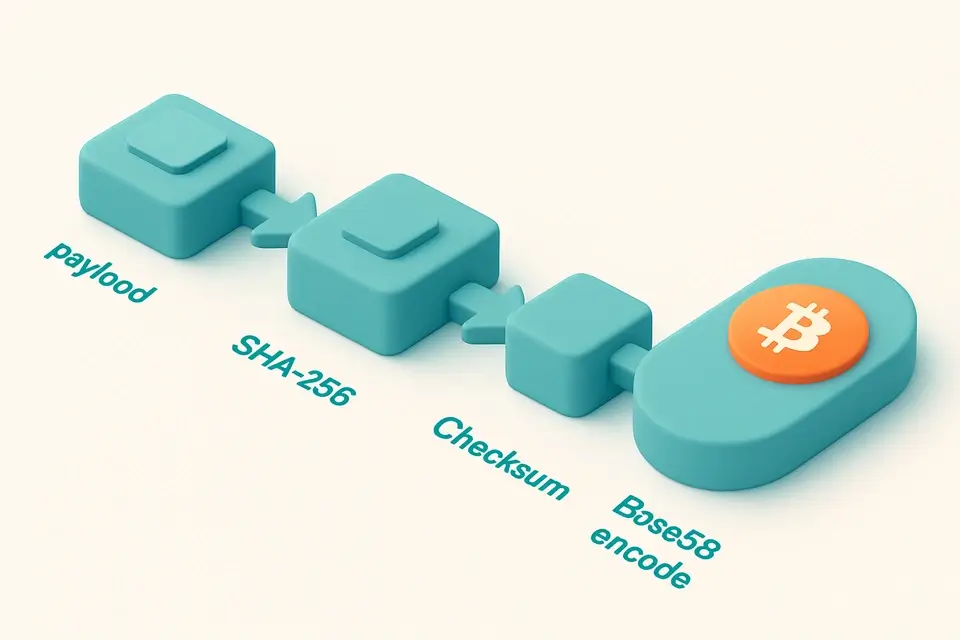

Base58Check Encoder
Encode data with Base58Check including SHA-256 checksum.
🔐 Encoding & CryptoFrequently Asked Questions
Q Is the Solana address validator free?
Q Does it check the blockchain?
Q What length are valid Solana addresses?
Q Do SPL token addresses use the same format?
Q Is my address safe when I validate it?
About This Tool
Solana Address Validator is a free online tool by FreeToolkit.ai. All processing happens directly in your browser — your data never leaves your device. No registration or installation required.