Decode Hexadecimal to ASCII Text Convert hexadecimal values back to readable ASCII text.


Hex to ASCII
Convert hexadecimal values back to readable ASCII text.
Paste Hex Values
Paste the hexadecimal string.
View ASCII Text
The decoded text appears instantly.
Copy Result
Click Copy to copy the decoded text.
What Is Hex to ASCII?
A Hex to ASCII converter is a tool that translates hexadecimal byte values into readable ASCII text, allowing developers to decode and interpret binary data stored or transmitted as hex strings. This functionality is particularly useful for programmers working with low-level system programming, embedded systems, or network protocols, who need to analyze and debug hexadecimal data. One specific problem it solves is the conversion of hex-encoded error messages or log entries into human-readable text, which can significantly aid in troubleshooting and debugging.
The tool accepts input in multiple formats, including space-separated (48 65 6C 6C 6F), 0x-prefixed (0x48 0x65), continuous (48656C6C6F), and mixed, making it a flexible hex to text converter. It uses regular expressions to clean the input string by removing whitespace and '0x' prefixes, ensuring that only valid hexadecimal characters are processed. Each pair of hex digits is then converted to the corresponding character using the String.fromCharCode method.
What makes this tool different is its ability to handle invalid input gracefully, returning error messages for non-hexadecimal characters or odd-length hex strings. It also performs all processing client-side, eliminating the need for server requests and ensuring that sensitive data remains local. As a hex ascii converter, it can decode both uppercase and lowercase hex digits, making it suitable for a wide range of applications, from hexadecimal to text conversion to decoding UTF-8 encoded byte sequences.
Why Use Hex to ASCII?
-
Flexible input parsing accepts multiple hex formats
-
Handles UTF-8 multi-byte sequences
-
100% client-side — data never leaves your browser
-
Free online tool with instant conversion
Common Use Cases
Protocol Debugging
Decode hex dumps from network captures.
Data Recovery
Convert hex data from binary files.
Reverse Engineering
Decode hex strings in firmware analysis.
Programming
Convert hex byte literals to readable strings.
Technical Guide
The tool works by first cleaning the input string using a regular expression that removes whitespace and '0x' prefixes, ensuring only valid hexadecimal characters remain. It then checks if the cleaned string consists solely of hexadecimal digits using the test method with a regular expression, /^[0-9A-Fa-f]*$/. If this check fails or the length of the cleaned string is odd, it returns an error message. The tool uses a for loop to iterate over the cleaned string in steps of 2, converting each pair of hex digits to its corresponding ASCII character using parseInt with base 16 and String.fromCharCode.
The processing function onProcess is wrapped in a useCallback hook from React, which memoizes the function so it's not recreated unnecessarily. This optimization helps improve performance by avoiding redundant computations. When the input string is valid, the tool constructs the resulting ASCII text by concatenating characters converted from hex pairs. If any error occurs during this process, it catches the exception and returns a generic error message indicating failure to convert hex to ASCII.
In terms of data structures, the tool relies on strings for both input and output, utilizing JavaScript's built-in string methods such as replace, test, and substring. The use of parseInt with base 16 allows for efficient conversion of hexadecimal digits to decimal values, which are then used by String.fromCharCode to obtain the corresponding ASCII characters. Since all processing occurs client-side within a React application, it utilizes browser APIs like those provided by JavaScript's standard library without needing any external libraries or server requests.
The input handling is flexible due to its ability to remove different types of separators and prefixes, making it compatible with various formats commonly used in hexadecimal notation. By checking for errors at multiple stages, from initial validation through conversion, the tool ensures robust error reporting that can aid in diagnosing issues with the input data. This approach also helps prevent unexpected behavior or crashes due to malformed input, providing a more reliable user experience when converting hex strings to ASCII text using this React-based client-side application.
Tips & Best Practices
-
1Accepts space-separated, 0x-prefixed, and continuous hex input
-
2Both uppercase and lowercase hex digits work
-
3UTF-8 multi-byte sequences are correctly decoded
-
4Invalid hex characters will produce an error message
Related Tools


UTF-8 Encode/Decode
View UTF-8 byte representations of text and decode byte sequences.
🔐 Encoding & Crypto

ASCII to Hex
Convert ASCII text to hexadecimal representation.
🔐 Encoding & Crypto

Binary to Decimal
Convert binary numbers to decimal (base-10) representation.
🔐 Encoding & Crypto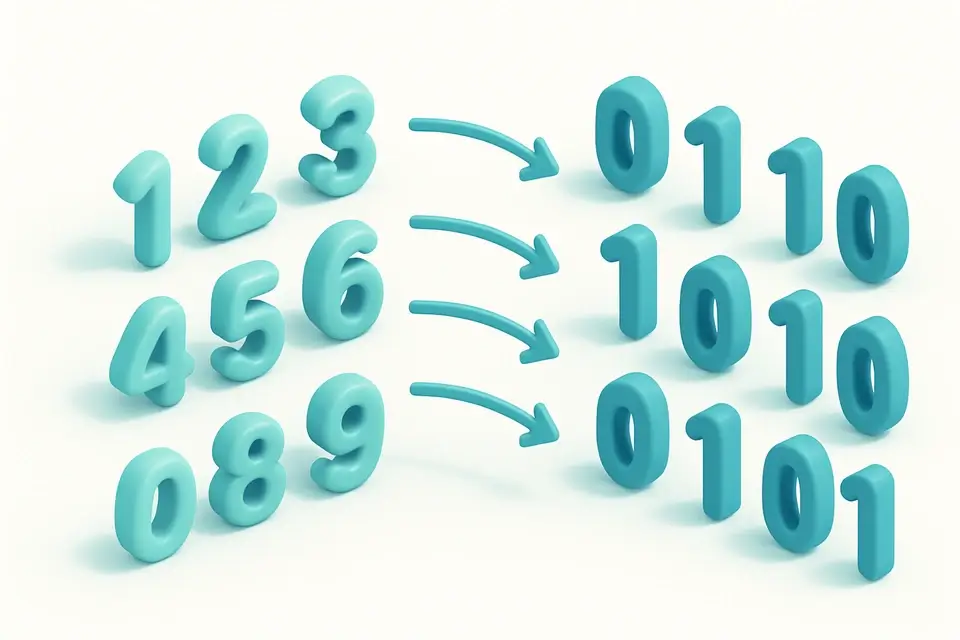

Decimal to Binary
Convert decimal numbers to binary (base-2) representation.
🔐 Encoding & CryptoFrequently Asked Questions
Q Is this tool free?
Q Is my data secure?
Q What hex formats does it accept?
Q What browsers are supported?
Q Does it handle non-ASCII?
About This Tool
Hex to ASCII is a free online tool by FreeToolkit.ai. All processing happens directly in your browser — your data never leaves your device. No registration or installation required.