Remove EXIF Metadata from Photos Strip all EXIF metadata from JPEG images to protect privacy before sharing.
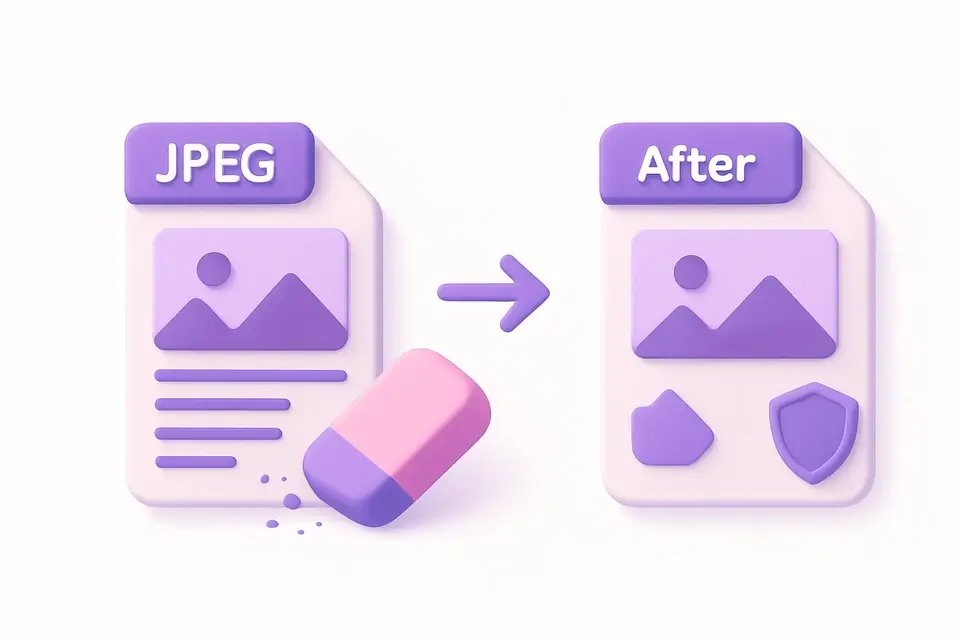

Image EXIF Remover
Strip all EXIF metadata from JPEG images to protect privacy before sharing.
Upload Image
Drop or select a JPEG image to strip its metadata.
Remove EXIF
Click to remove all embedded metadata from the image.
Download Clean Image
Download the metadata-free image for safe sharing.
What Is Image EXIF Remover?
An Image EXIF Remover is a tool that removes metadata from images, including GPS coordinates, camera information, timestamps, and personal data, to protect photo privacy. Photographers and individuals who share photos online use it to prevent unauthorized access to sensitive information. One specific problem it solves is the removal of GPS data, which can reveal the location where a photo was taken, posing a risk to the photographer's or subject's privacy.
The tool re-encodes the image through Canvas, naturally stripping all EXIF data while preserving the visual content. This approach ensures that all processing happens in the browser, maximizing privacy and security. What makes this tool different is its ability to allow users to adjust the quality of the output image, with a range of 50% to 100%, using a slider input. It also provides a comparison of the original and cleaned image sizes, giving users an idea of the impact of removing metadata on the file size.
It uses a canvas element to draw the image and then converts it to a PNG blob, effectively stripping EXIF data. This process enables users to remove metadata from JPEG images online without compromising their privacy. By using this tool, individuals can learn how to remove EXIF from photos and protect their personal data when sharing images online. The tool's ability to strip EXIF and other metadata makes it a useful solution for those concerned about photo privacy.
Why Use Image EXIF Remover?
-
Removes ALL metadata including GPS, camera, and personal data
-
Protects privacy before sharing photos online
-
Canvas re-encoding ensures complete metadata removal
-
No server upload — fully client-side processing
Common Use Cases
Privacy Protection
Remove GPS and personal data before posting photos on social media.
Journalism
Strip identifying metadata from source photos to protect contributors.
Legal Compliance
Remove personal data from images for GDPR and privacy law compliance.
Professional Sharing
Share client work without revealing camera gear or editing software.
Technical Guide
The tool uses React to manage its state and handle user interactions, with the `useState` hook storing information about the image being processed, such as its source URL and original size. When a file is dropped into the `FileDropzone` component, the `handleFile` function creates an object URL for the file using `URL.createObjectURL`, which allows it to be loaded into an HTML5 Canvas element without having to upload the file to a server. The canvas element is referenced using the `useRef` hook, allowing its properties and methods to be accessed directly.
When the "Remove Metadata" button is clicked, the `removeExif` function draws the image onto the canvas using the `drawImage` method of the 2D drawing context, which is obtained using the `getContext` method. The resulting pixel data is then converted into a PNG blob using the `toBlob` method, with the `'image/png'` MIME type specified to ensure that no EXIF metadata is included in the output file. This approach takes advantage of the fact that PNG files do not support EXIF metadata, effectively stripping all metadata from the original image.
The quality of the output image can be adjusted using a slider input, which updates the `quality` state variable and passes it to the `toBlob` method when the "Remove Metadata" button is clicked. However, in this implementation, the quality setting does not affect the output because PNG files are used instead of JPEG. The original and cleaned file sizes are compared by storing their respective byte lengths in the `origSize` and `cleanSize` state variables, which are then formatted into human-readable strings using the `formatSize` function before being displayed to the user.
The download process uses a dynamically created anchor element with its `download` attribute set to `'clean-image.png'`, allowing the cleaned image to be saved locally without having to be sent back to a server for processing. The `URL.revokeObjectURL` method is used to release any object URLs that are no longer needed, preventing memory leaks and ensuring that system resources are freed up in a timely manner.
This approach ensures that all EXIF metadata, including GPS coordinates, camera information, timestamps, and personal data, is removed from the image while preserving its visual content. By using React and HTML5 Canvas to process images entirely within the browser, it provides a secure and private way to remove sensitive information from photos before sharing them online.
Tips & Best Practices
-
1Always strip metadata before sharing photos with strangers
-
2Check GPS data first with our EXIF Viewer to see what is embedded
-
3PNG output is always metadata-free since Canvas strips it
-
4File size may change slightly due to re-encoding
Related Tools
Image Format Converter
Convert images between JPG, PNG, and WebP formats with quality control.
🖼️ Image Tools

Image EXIF Viewer
View all EXIF metadata embedded in JPEG images including camera, lens, and settings.
🖼️ Image Tools

Image GPS Viewer
Extract and display GPS coordinates from photo EXIF data with a location link.
🖼️ Image Tools

Image Metadata Editor
View and edit common image metadata fields like title, description, and author.
🖼️ Image ToolsFrequently Asked Questions
Q What metadata is removed?
Q Does it change image quality?
Q Can I selectively remove metadata?
Q Does it work with PNG?
Q How can I verify removal?
About This Tool
Image EXIF Remover is a free online tool by FreeToolkit.ai. All processing happens directly in your browser — your data never leaves your device. No registration or installation required.