Date Format Converter Convert dates between US, European, ISO, and other popular formats simultaneously.

Date Format Converter
Convert dates between US, European, ISO, and other popular formats simultaneously.
Select a Date
Pick a date using the date picker.
View All Formats
See the date displayed in 12+ different formats simultaneously.
Copy Any Format
Click the copy button next to any format to copy it to your clipboard.
What Is Date Format Converter?
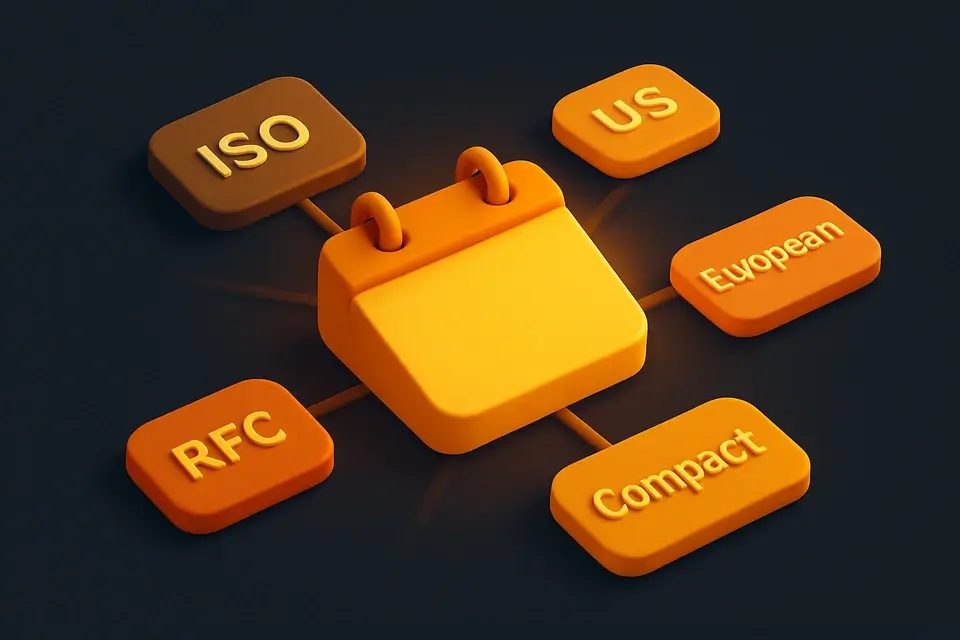
The Date Format Converter takes a single date input and instantly displays it in over 12 different date format conventions used around the world. See your date in ISO 8601 (YYYY-MM-DD), US format (MM/DD/YYYY), European format (DD/MM/YYYY), UK format (DD-MM-YYYY), long US format (January 15, 2024), long European format (15 January 2024), short format, dot-separated, compact (YYYYMMDD), Unix timestamp, relative time, and RFC 2822. Each format has a one-click copy button for immediate use. This eliminates the guesswork and manual reformatting that comes with working across different regional date conventions, making it perfect for developers, data analysts, and international communicators.
Why Use Date Format Converter?
-
Over 12 date formats generated at once
-
One-click copy for each format
-
Covers US, European, ISO, RFC, and compact formats
-
Includes Unix timestamp and relative time
-
No sign-up or installation needed
-
Updates in real-time as you change the date
Common Use Cases
International Communication
Clarify date ambiguity when communicating across US and European conventions.
Data Import/Export
Reformat dates for CSV imports, API requests, or database migrations.
Document Formatting
Find the right date format for formal documents, reports, or legal filings.
Localization
Preview how dates will appear in different regional formats for app localization.
Log Timestamps
Convert between human-readable dates and machine formats like Unix timestamps.
Technical Guide
The converter parses the input date using JavaScript's Date constructor with a midnight time component (T00:00:00) to avoid timezone shifts. Each format is constructed using a combination of getFullYear(), getMonth()+1, getDate(), and toLocaleDateString() with specific locale and option parameters. The US long format uses {month: "long", day: "numeric", year: "numeric"}, while the European long format reorders these fields. The compact format concatenates zero-padded year, month, and day without separators. The Unix timestamp divides getTime() by 1000 and floors the result. The relative time calculation compares the date to Date.now() and expresses the difference in the most appropriate unit (days, months, or years ago/from now). RFC 2822 format is constructed manually following the standard's specification.
Tips & Best Practices
-
1Use ISO format (YYYY-MM-DD) for databases and APIs — it sorts correctly alphabetically
-
2Be cautious with MM/DD and DD/MM formats — they can cause confusion between US and EU users
-
3The compact format (YYYYMMDD) is ideal for file names and version strings
-
4RFC 2822 format is required for email headers and some HTTP headers
-
5Unix timestamps are timezone-independent — they always represent UTC
Related Tools
Unix Timestamp Converter
Convert between Unix timestamps and human-readable dates in both directions.
📅 Date & Time
ISO 8601 Formatter
Format any date/time into ISO 8601 standard format with multiple variants.
📅 Date & Time
Epoch Converter
Convert epoch timestamps in seconds or milliseconds to human-readable dates with auto-detection.
📅 Date & Time
Date to Words
Convert any date into written words in multiple formal and informal formats.
📅 Date & Time

Relative Time Calculator
Show how long ago or how far in the future any date/time is, with live updating.
📅 Date & TimeFrequently Asked Questions
Q What is the safest date format to use?
Q Why are US and European formats confusing?
Q What is RFC 2822 format used for?
Q Can I convert from any input format?
Q What does the relative time show?
About This Tool
Date Format Converter is a free online tool by FreeToolkit.ai. All processing happens directly in your browser — your data never leaves your device. No registration or installation required.